AndroidPure
  • Leaks
  • News
  • Reviews
  • Updates
  • How to
No Result
View All Result
  • Leaks
  • News
  • Reviews
  • Updates
  • How to
  • Leaks
  • News
  • Reviews
  • Updates
  • How to
No Result
View All Result
AndroidPure
No Result
View All Result

Samsung Gallery’s OneDrive Sync Ends September 30: What to Do

Androidpure Staff by Androidpure Staff
September 14, 2026
in News

Samsung Gallery will stop syncing directly with Microsoft OneDrive on September 30, 2026. Both companies have now confirmed the date on their own support pages, ending an integration that let Galaxy owners back up photos from the Gallery app straight into their OneDrive account since 2019.

What’s Changing on September 30

Microsoft’s support page is direct about the cutoff. After September 30, Samsung Gallery stops syncing photos to OneDrive entirely. Any photo or video that lives only in OneDrive will stop showing up inside the Gallery app. New users already can’t turn the feature on. SamMobile reports that the toggle has already been pulled from newer versions of the Samsung Gallery app. Anyone who never linked the two services can no longer start now, even though the formal end date is still weeks away.

If you already have the sync running, nothing changes until the deadline. You can keep backing up new photos and videos as normal through September 30.

“Starting September 30, 2026, Samsung Gallery will no longer sync directly with OneDrive.”
— Microsoft support documentation

Your Photos Aren’t Being Deleted

Samsung’s own support page, updated for this change, is clear that nothing in your OneDrive account is at risk: files already backed up “will remain in OneDrive and can be viewed through the OneDrive app.” The photos are safe at onedrive.com, in the Windows OneDrive app, and on any other device signed into the same Microsoft account. What disappears is the shortcut that let those cloud-only files also show up inside Samsung Gallery without a manual download.

How to Keep Your Photos Backed Up

Both companies point to the same fix: move from Gallery-based sync to OneDrive’s own Camera Backup feature before the cutoff.

  1. Open the OneDrive app on your Galaxy phone and sign in with your Microsoft account (it may differ from your Samsung account).
  2. Tap your account profile icon in the top-left corner.
  3. Select Camera backup.
  4. Confirm the correct Microsoft account is selected, then turn Camera backup on.
  5. Grant OneDrive access to your photos and videos if prompted.

Samsung’s support page adds one more practical step for anything you want available offline: use the Download originals option inside the Gallery app, or download directly through the OneDrive app, to pull cloud-only photos onto your device before the sync breaks.

Samsung Gallery app engineering team members holding Galaxy phones in an official Samsung Newsroom photo
Image: Samsung Newsroom

Neither company frames this as an improvement, and it isn’t one for the reader. It’s a maintenance decision that pushes manual work back onto Galaxy owners who assumed their photo backup was a set-it-and-forget-it feature. If you turned this on years ago, that convenience is exactly what runs out on September 30. Check your OneDrive Camera backup setting now, rather than after your photos stop appearing in Gallery.

Source: Microsoft Support, Samsung Support, SamMobile
Related Posts

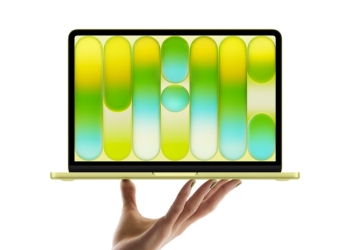
MacBook Neo in Citrus, open and balanced on a hand against a white background
News

Apple Raises the MacBook Neo’s Student Price Again, Now $649

October 29, 2026
14-inch and 16-inch MacBook Pro with PROLED XDR Display, open, showing the Dynamic Island at the top of each touchscreen
News

Apple’s First Touchscreen Mac Is a $2,899 OLED MacBook Pro

October 29, 2026
Samsung logo for the Galaxy A16 5G One UI 9 update on Verizon
News

Verizon Galaxy A16 5G Gets One UI 9, but With September’s Patch

October 28, 2026
Man wearing a black Samsung Galaxy Buds On open-ear earbud clipped to his ear, with the pair shown close up
News

Galaxy Buds On Come to the US for $229 in Early November

October 28, 2026
Galaxy Watch sleep apnea alert and Samsung Health breathing disruptions screen, Korean version
News

Samsung’s Upgraded Sleep Apnea Check Comes to Galaxy Ring in Korea

October 28, 2026
Amazon Leo satellite promo showing campers taking a phone selfie under a night sky
News

FCC Clears Amazon’s Globalstar Buy: What It Means for iPhone SOS

October 28, 2026

Follow Us

  • 914 Followers
No Result
View All Result

Popular

  • One UI 9 on a Samsung Galaxy phone, the Android 17-based update adding a home screen search bar

    One UI 9 Puts a Google Search Bar on the Galaxy Home Screen by Default

    Share
    Share Tweet
  • iPhone XS and XR Finally Get the Exploited Flaw Fix in iOS 18.7.11

    Share
    Share Tweet
  • Pixel Missed-Call Bug Isn’t Fully Fixed, and Pixel 11 Owners Report It

    Share
    Share Tweet
  • iOS 27.1 Is Out Only for iPhone Duo: Other iPhones Skip to iOS 27.2

    Share
    Share Tweet
  • Play System Update Dated January 2027: A Glitch, With a Fix Reported

    Share
    Share Tweet
  • Poco X8s Launches Globally at $399 as a Compact 6.35-Inch Phone

    Share
    Share Tweet
  • A Copycat WhatsApp Listing on Google Play Has Passed 500K Downloads

    Share
    Share Tweet

Recent Posts

  • iOS 27.2 Lets You Prove Your Age With a Selfie in Four Countries
  • Free Fire India Launches on Android and iOS Four Years After the Ban
  • Apple Raises the MacBook Neo’s Student Price Again, Now $649
  • Chrome Autofill Can Now Pull Your Order and Flight Details From Gmail
  • XREAL Aura Goes on Sale at $1,099, but Only Until December
  • Apple’s First Touchscreen Mac Is a $2,899 OLED MacBook Pro
  • Pokémon UNITE Shuts Down in March 2027: What Players Should Do Now
AndroidPure

Navigate Site

  • Privacy
  • About Us
  • Tip Us
  • Contact Us

Follow Us

No Result
View All Result
  • Leaks
  • News
  • Reviews
  • Updates
  • How to

This website uses cookies. By continuing to use this website you are giving consent to cookies being used. Visit our Privacy and Cookie Policy.