AndroidPure
  • Leaks
  • News
  • Reviews
  • Updates
  • How to
No Result
View All Result
  • Leaks
  • News
  • Reviews
  • Updates
  • How to
  • Leaks
  • News
  • Reviews
  • Updates
  • How to
No Result
View All Result
AndroidPure
No Result
View All Result

Chrome Autofill Can Now Pull Your Order and Flight Details From Gmail

Androidpure Staff by Androidpure Staff
October 29, 2026
in Apps

Chrome’s enhanced autofill can now suggest details pulled directly from your Gmail when you fill out web forms. Google says it can surface order numbers, tracking information and flight bookings.

The feature is powered by Gemini with Personal Intelligence. It is rolling out in the US on desktop, Android and iOS for Gemini in Chrome users who have Personal Intelligence enabled.

Google logo for Chrome enhanced autofill with Gmail
Image: Google

What Chrome Enhanced Autofill Now Does With Gmail

Chrome autofill has traditionally worked from details you saved yourself. This update changes the source. Gemini now looks through your inbox to find the detail a form is asking for.

A return form, for example, could be filled with an order number from a confirmation email. A flight form could pick up details from a booking email.

Google says Google Photos is next. Enhanced autofill will soon be able to read information from images in your Photos library. Google hasn’t given a date for that expansion.

The Privacy Catch

Google says sensitive data is encrypted and that you stay in control. That is Google’s assurance, and its own documentation adds useful context.

Google’s help page for enhanced autofill sets the default policy for consumers to “Allow feature and improve AI models.” Under that setting, the data sent can include your prompts and inputs. It can also include outputs, feedback and source materials.

The same page says such data can be read by human reviewers to improve Google’s AI models. It also lists page content and the site’s URL among the data processed.

That help page covers enhanced autofill in general and doesn’t mention Gmail. So it doesn’t show that your email contents reach human reviewers. But the consumer default leans toward sharing data with Google, not away from it.

The feature only works once you’ve enabled Personal Intelligence. Yet the help page’s consumer default already allows data use to improve AI models. It’s worth checking that setting before you rely on the feature.

It also comes soon after Google’s privacy policy change that lets connected Gmail and Photos shape ads.

How to Control Enhanced Autofill in Chrome

Google says you can manage whether enhanced autofill is on and what it can access in Chrome’s settings. On desktop, Google’s help page gives this path:

  1. Open Chrome and go to Settings.
  2. Select Autofill and passwords.
  3. Open Enhanced autofill and turn it on or off.

As of October 29, the help page still lists desktop as a requirement. It doesn’t yet give an Android or iOS menu path, despite the mobile rollout. On a phone, look through Chrome’s settings for the same option.

Sources: Google, Google Chrome Enterprise and Education Help
Related Posts

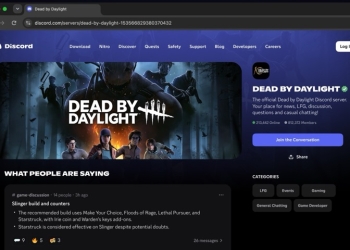
Discord Server Web Page for Dead by Daylight in a browser, showing a summary of channel messages and a Join the Conversation button
Apps

Your Discord Messages Could Appear in Google Search: How to Opt Out

October 28, 2026
Google's Gemini Notebook study tools banner with phone screens, including the audio recorder waveform and pause button
Apps

Gemini Notebook Now Has a Built-In Audio Recorder on Android and iOS

October 28, 2026
OpenAI logo and wordmark, representing ChatGPT's iCloud Mail and Calendar plugins
Apps

ChatGPT Now Reads iCloud Mail and Calendar: Check This Setting First

October 28, 2026
Samsung Android XR glasses in black Gentle Monster and brown Warby Parker frames
Apps

Play Services v26.42 Lets Your Phone Connect to Android XR Glasses

October 28, 2026
Microsoft Authenticator for Android app icon, a blue padlock shield with a person silhouette
Apps

Microsoft Authenticator Flaw Let Rogue Apps Grab Work Tokens

October 27, 2026
Lark Health logo in bright green lowercase lettering
Apps

Samsung Health Partners With Lark on Diabetes Prevention for 65+

October 27, 2026

Follow Us

  • 914 Followers
No Result
View All Result

Popular

  • One UI 9 on a Samsung Galaxy phone, the Android 17-based update adding a home screen search bar

    One UI 9 Puts a Google Search Bar on the Galaxy Home Screen by Default

    Share
    Share Tweet
  • iPhone XS and XR Finally Get the Exploited Flaw Fix in iOS 18.7.11

    Share
    Share Tweet
  • Pixel Missed-Call Bug Isn’t Fully Fixed, and Pixel 11 Owners Report It

    Share
    Share Tweet
  • iOS 27.1 Is Out Only for iPhone Duo: Other iPhones Skip to iOS 27.2

    Share
    Share Tweet
  • Play System Update Dated January 2027: A Glitch, With a Fix Reported

    Share
    Share Tweet
  • Poco X8s Launches Globally at $399 as a Compact 6.35-Inch Phone

    Share
    Share Tweet
  • A Copycat WhatsApp Listing on Google Play Has Passed 500K Downloads

    Share
    Share Tweet

Recent Posts

  • iOS 27.2 Lets You Prove Your Age With a Selfie in Four Countries
  • Free Fire India Launches on Android and iOS Four Years After the Ban
  • Apple Raises the MacBook Neo’s Student Price Again, Now $649
  • Chrome Autofill Can Now Pull Your Order and Flight Details From Gmail
  • XREAL Aura Goes on Sale at $1,099, but Only Until December
  • Apple’s First Touchscreen Mac Is a $2,899 OLED MacBook Pro
  • Pokémon UNITE Shuts Down in March 2027: What Players Should Do Now
AndroidPure

Navigate Site

  • Privacy
  • About Us
  • Tip Us
  • Contact Us

Follow Us

No Result
View All Result
  • Leaks
  • News
  • Reviews
  • Updates
  • How to

This website uses cookies. By continuing to use this website you are giving consent to cookies being used. Visit our Privacy and Cookie Policy.