The Gemini app can now generate, preview and edit files without leaving the chat, and Google says it’s live for all users. On Android and iPhone, though, that only works with PDFs. Editing Google Docs, Sheets, slide decks, Markdown, TXT files and code stays limited to Gemini on the web.

Google announced the change on October 29 on its Keyword blog. It’s available in every language the Gemini app supports. The post doesn’t tie it to a paid plan.
How Gemini file editing works
Once Gemini creates a file, you can expand it to full screen and type changes directly. You can also highlight a passage to ask a question about it. Or you can simply ask Gemini to refine the file for you.
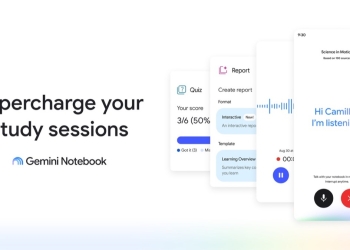
Google’s example starts with uploaded handwritten lecture notes. Gemini turns them into a PDF study guide. You can then edit that guide yourself or highlight sections to work on with Gemini.
On your phone, it’s PDFs only
Google spells out the split in its announcement:
PDF preview and editing is supported on both the web and mobile, while all other formats (Google Docs, Google Sheets, slide decks, Markdown files, TXT files, and code) are supported on the web only.
For phone users, that’s the real story. If Gemini makes you a Doc, a Sheet or a slide deck, editing it in the chat needs the web. PDFs are a reasonable start, but much everyday work happens in Docs and Sheets.
Some details are still missing. Google’s post doesn’t say whether edited files save to Drive automatically. It also doesn’t cover export options or file size limits.
It’s worth remembering what this involves, too. Anything you upload, from lecture notes to work documents, is processed by Gemini. For more on Gemini’s default data settings, see our report on the Notebook connected app being switched on by default outside the EEA.
File editing joins other recent Gemini app additions, such as sending interactive apps to Google Sites in one tap.
Source: Google