AndroidPure
  • Leaks
  • News
  • Reviews
  • Updates
  • How to
No Result
View All Result
  • Leaks
  • News
  • Reviews
  • Updates
  • How to
  • Leaks
  • News
  • Reviews
  • Updates
  • How to
No Result
View All Result
AndroidPure
No Result
View All Result

Impersonation Risk Detection in iOS 27: How to Turn It On

Androidpure Staff by Androidpure Staff
October 21, 2026
in Guide

Can your iPhone warn your bank that a payment looks like a scam? In iOS 27 it can, through a setting called Impersonation Risk Detection. The catch is that you have to switch it on yourself. According to 9to5Mac, it is off by default.

What Impersonation Risk Detection does in iOS 27

The feature lets supported apps, such as banking and payment apps, ask Apple for a scam-risk level. They ask at sensitive moments, like when you’re about to make a payment or change account security details. The idea is to flag trouble while money or account access is still on the line.

The app gets back one of three levels: Unknown, Medium or High. Unknown means no evidence of a scam was detected. Apple says that doesn’t mean the action was confirmed safe.

What happens next is up to the app. It might ask you to verify your identity, add a delay or show a warning. Apple says it doesn’t decide or control that response.

Apple says the check runs on your iPhone and looks at how and when you interact, plus basic sensor data. Apple also says it never receives the data behind the risk level. Apple says it doesn’t analyze the content of your Photos, Messages or Mail either.

The setting arrived with iOS 27 and also works on iPadOS 27. It only does anything inside apps that support it.

How to turn on Impersonation Risk Detection

  1. Update your iPhone or iPad to iOS 27 or iPadOS 27.
  2. Open Settings and tap Privacy & Security.
  3. Scroll down and tap Impersonation Risk Detection.
  4. Turn on Share with App Developers.
  5. Sign in to the App Store with your Apple Account if you’re asked to.
iOS 27 Privacy and Security settings on iPhone with Impersonation Risk Detection highlighted
Image: Apple

Once it is on, there is nothing else to configure. Supported apps can start requesting assessments when you reach a sensitive step.

How to check which apps use it, or turn it off

The same settings screen doubles as an activity log. Here is how to review it:

  1. Go to Settings > Privacy & Security > Impersonation Risk Detection.
  2. Check Recent Activity to see which apps have requested an assessment.
  3. Look under Reasons for Access to see why each app asked.
  4. Turn off access for any individual app you don’t want using it.
  5. Turn off Share with App Developers to switch the feature off completely.

Any change to the setting can take up to 24 hours to apply. Apple says that delay is deliberate and meant to protect you. Its support page also carries a blunt warning:

If someone directs you to turn this feature off, you might be the victim of a scam.

The catches

The privacy cost isn’t zero. Apple does learn the type of action you attempted whenever an app requests an assessment. That is far less than message content, but it is still data about what you do in those apps.

The bigger gap is coverage, since the feature only works in apps that adopt it. As of October 20, Apple had not published a list of supported apps, per 9to5Mac. That leaves you with a toggle you can’t see working. It is also off by default, so it only protects people who know to look for it.

On Android, Google recently brought scam call protection to older phones through Play Services.

Source: Apple Support, 9to5Mac

Related Posts

Garmin Fenix 8 AMOLED smartwatch on a wrist showing orange and teal data fields
Guide

OK Garmin Draining Your Watch Battery? How to Turn It Off

October 20, 2026
Samsung logo for the One UI 9 stable update rollout in Europe and the Middle East
Guide

One UI 9 Stable Leaves Korea: Galaxy S23, A56, A37 and A27 Get It

October 19, 2026
Google wordmark logo, for a story on Pixel 6 and Pixel 6 Pro end of updates
Guide

Pixel 6 and 6 Pro: Google’s Five-Year Update Window Closes This Month

October 19, 2026
Silver Siri Remote (4th generation) with Find My support, front view showing the circular clickpad
Guide

Find My Siri Remote: A $59 Upgrade That Works With Older Apple TVs

October 15, 2026
Google Android Help illustration for phone number verification, showing two people with phones and a chat bubble
Guide

Android Phone Number Verification Is On by Default: How to Turn It Off

October 14, 2026
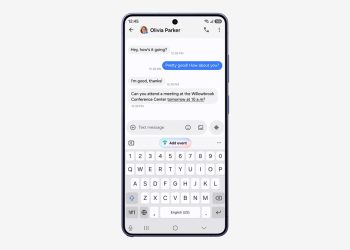
Galaxy phone running One UI 9 with an Add event suggestion above the keyboard in a messaging app
Guide

One UI 9 Reaches Verizon’s Galaxy Z Fold6, Z Flip6 and S24 FE

October 14, 2026

Follow Us

  • 914 Followers
No Result
View All Result

Popular

  • One UI 9 on a Samsung Galaxy phone, the Android 17-based update adding a home screen search bar

    One UI 9 Puts a Google Search Bar on the Galaxy Home Screen by Default

    Share
    Share Tweet
  • A Copycat WhatsApp Listing on Google Play Has Passed 500K Downloads

    Share
    Share Tweet
  • Android Phone Number Verification Is On by Default: How to Turn It Off

    Share
    Share Tweet
  • Motorola Signature 27 Update Promise Hedges on Security Patch Timing

    Share
    Share Tweet
  • itel City 300 5G Launched in India at Rs 14,999 With 120Hz Display

    Share
    Share Tweet
  • iOS 27.2 Release Candidate Is Out, but the New Health App Isn’t

    Share
    Share Tweet
  • Samsung Q3 2026 Guidance: Record 107.4 Trillion Won Profit

    Share
    Share Tweet

Recent Posts

  • Impersonation Risk Detection in iOS 27: How to Turn It On
  • Android 17 QPR3 Beta 2 Lets You Lock Wi-Fi Toggles Behind Your PIN
  • Gemini Personal Intelligence Reaches Android Auto, Minus the EU and UK
  • Apple Names New US Suppliers for iPhone Duo and iPhone 18 Pro Parts
  • Oura Adds a Cardio Effort Score and Automatic VO2 Max Estimates
  • Chrome Enhanced Protection Adds Softer Warnings for Suspicious Sites
  • ChatGPT Now Locks Chats Behind a PIN: Reset It and They’re Gone
AndroidPure

Navigate Site

  • Privacy
  • About Us
  • Tip Us
  • Contact Us

Follow Us

No Result
View All Result
  • Leaks
  • News
  • Reviews
  • Updates
  • How to

This website uses cookies. By continuing to use this website you are giving consent to cookies being used. Visit our Privacy and Cookie Policy.