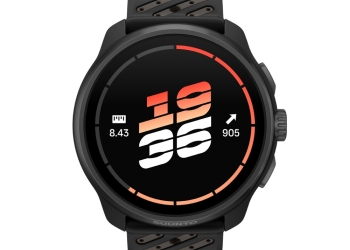
Has your Garmin watch’s battery estimate dropped sharply after a recent update? The new hands-free OK Garmin wake word may be the reason. Here’s how to turn it off without losing voice commands.

Why OK Garmin cuts battery life
Garmin added the OK Garmin wake word in its September software updates. A wake word works by keeping the microphone listening for a trigger phrase. That constant listening costs power. Garmin’s own support page says so plainly:
“Enabling hands-free voice features will reduce battery life.”
Garmin doesn’t put a number on it, but owners posting on forums have. Gadgets & Wearables collected user reports of estimated battery life falling by roughly 35% to 50%.
Some examples from those reports stand out. One Forerunner 970 estimate fell from about 15 days to nine. Fenix 8 estimates dropped from around two weeks to seven or eight days. These are user reports of the watch’s own projections, not measured runtimes.
Gadgets & Wearables also says the feature was switched on automatically after the update. That’s the outlet’s claim, and we haven’t seen Garmin confirm it. If it holds, a feature with a known battery cost should have been opt-in.
Which watches are affected
According to Gadgets & Wearables, the September updates brought OK Garmin to these models:
- Fenix 8
- Forerunner 570
- Forerunner 970
- Venu 4
- Several other Garmin models
If your watch got a September update and now shows a shorter battery estimate, it’s worth checking for the setting.
How to turn off OK Garmin
Android Authority gives the following path. Menu names can differ by model, so look for your watch’s voice settings if yours doesn’t match.
- Open Settings on your watch.
- Go to System.
- Select Voice.
- Turn off OK Garmin.
- Check your battery estimate again.
According to Gadgets & Wearables, this restores much of the lost battery estimate. Sometimes the estimate recovers immediately.
If the estimate doesn’t recover, turn off Phone Assistant too
Some owners found they also had to disable the separate Phone Assistant wake word. Garmin’s battery FAQ gives Phone Assistant the same warning it gives OK Garmin. If it’s enabled on your watch, check the voice settings and switch it off as well.
You still keep voice commands
Turning off the wake word doesn’t remove voice control. You can still trigger voice commands manually from the watch’s controls. You only lose the hands-free trigger phrase.
There’s a small privacy upside, too. With the wake word off, the microphone is no longer waiting in the background for you to say it.
Should you keep it on?
It comes down to battery versus convenience. If you rarely use voice commands, the wake word is costing you battery for little benefit. Turning it off is the easy choice.
If you use voice often and charge your watch every day or two, the hit may matter less. Owners who rely on multi-day battery life for long trips or races have the most to lose by leaving it on.
A few honest caveats
Both Gadgets & Wearables and Android Authority stress that these figures are battery estimates. A shorter projection on the watch face isn’t the same as a measured drop in real-world use.
Not every Fenix 8 battery complaint comes from OK Garmin, either. Some have unrelated causes. If your watch still drains fast with both wake words off, the problem may lie elsewhere. Fenix 8 owners should also know about a separate issue where the screen can stay stuck at full brightness.
Sources: Garmin Support, Gadgets & Wearables, Android Authority