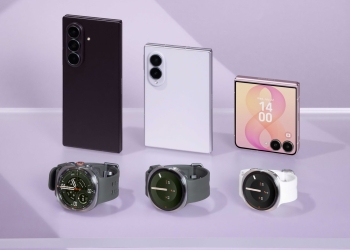
One UI 9 ships with a way to cut browsers and games off from the internet without uninstalling them or leaning on a third-party focus app. Two toggles — Restrict browsers and Restrict games — have made it into the stable release on Samsung’s new foldables, according to Android Authority, which found them on retail hardware and had previously reported the feature from beta builds.

How the One UI 9 network restriction toggles work
The two switches sit in the Advanced settings page within Network restrictions. Samsung has not published a feature explainer for them, so what is confirmed is narrow and worth stating plainly: they are category-level switches that block network access for browsers and for games respectively, rather than a per-app list you build yourself.
That distinction is the whole appeal. Android already lets you restrict background data per app, and Digital Wellbeing already lets you hide or time-limit apps — but a category toggle that kills the connection for browsers as a class in one tap is a blunter instrument, and blunt is usually what works when the point is to stop yourself opening something. An app with no network access is still installed, still opens, and simply has nothing to show you.
Nothing published so far describes how the toggles classify an app as a browser or a game, or whether apps you would not think of as either get swept in. Until Samsung documents it, that is worth testing on your own device rather than assuming.
What else is in the stable build
Android Authority also reports two smaller additions on the same devices:
- Background Audio Hardening controls — Android 17 introduced restrictions on background audio, and One UI 9 exposes a toggle for it at Settings > Developer options > More settings. Where earlier builds offered a plain on/off switch, the stable release adds granular control over the hardening level.
- Gesture wake-up for Bixby — a setting in the Bixby settings page that starts the assistant by raising the phone to your mouth instead of saying “Hi Bixby” or using a shortcut. Samsung’s stated requirement is holding the phone within two inches of your mouth, and it will not fire while Bixby is already handling a request or while media is playing.
Who gets it, and when
Stable One UI 9 is currently limited to the Galaxy Z Fold8, Z Fold8 Ultra and Z Flip8, which ship with it out of the box. Samsung has not given a rollout date for existing flagships including the Galaxy S26 series or last year’s foldables, so there is no schedule to plan around yet — only the confirmation that these features survived the beta. Our earlier report on One UI 9’s new home screen search bar covers another change landing on the same devices.
Sources: Android Authority, Dylan H