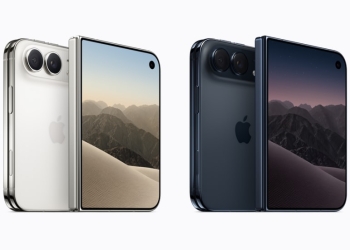
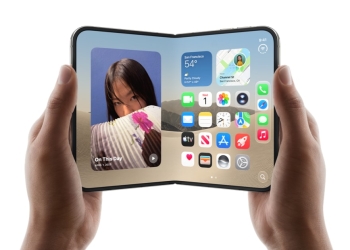
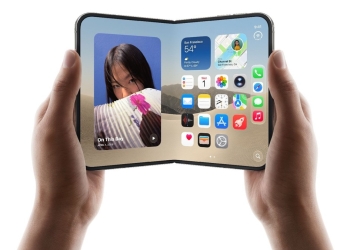
Malwarebytes has found a fake iPhone Duo pre-order page that starts an exploit attempt on an iPhone as soon as it is opened. The security firm published its findings on September 29, more than two weeks before Apple’s real pre-orders opened on October 16. With genuine orders now open, that kind of lure is easier to fall for.

Nothing in the research shows whether the page is still online. The protection is the same either way: keep iOS updated and only order from addresses you type in yourself.
How the fake iPhone Duo pre-order page works
The page poses as an authorized-partner exclusive and dangles a $500 voucher. It asks for your name, email address and phone number, with WhatsApp marked as the preferred contact. It asks for no payment upfront.
Several details give it away. It lists iPhone Duo models and colours that Apple doesn’t sell. Its countdown timer restarts every time the page loads. Even the order-success message is generated by the page itself.
The form is not the real danger, though. As Malwarebytes puts it:
You don’t have to fill in the form, tap a download, or approve anything. Opening the page is enough to start the attempt.
— Malwarebytes
What the exploit tries to steal
Malwarebytes says several parts of the captured code match DarkSword, the iPhone exploit chain Google described in March. We explained how DarkSword works earlier this month.
If the attack succeeds, Malwarebytes says the payload tries to send out device information, a list of installed apps and the contents of Apple Notes. It also hunts for crypto-wallet apps, including MetaMask, Phantom, Trust Wallet, Coinbase Wallet, Exodus and Tonkeeper. And it tries to recover saved credentials from the keychain.
The research has limits. Malwarebytes analysed the captured code but did not test it on an iPhone or see data leave one. It also hasn’t confirmed which iOS versions the page targets, and its files contain code for older versions too.
Malwarebytes says Apple has patched the vulnerabilities Google reported. It also reports Apple’s statement that updated devices are protected against the reported DarkSword attacks.
How to stay safe while pre-ordering
- Update iOS from Settings > General > Software Update, and turn on automatic updates.
- If you opened a suspicious pre-order page, restart your iPhone after updating.
- Type Apple’s or your retailer’s web address yourself to check any offer.
- Don’t trust pre-order links from ads, messages or social media posts.
- Report fake pages to your national cybercrime service.
- If you think you were targeted, change passwords from a trusted device, starting with email, Apple Account, banking and crypto.
For the legitimate route, our iPhone Duo pre-order guide covers Apple’s own setup steps. Bear in mind that store delivery estimates have already slipped to late January for many buyers. A seller promising faster delivery is a reason for suspicion.
Source: Malwarebytes