AndroidPure
  • Leaks
  • News
  • Reviews
  • Updates
  • How to
No Result
View All Result
  • Leaks
  • News
  • Reviews
  • Updates
  • How to
  • Leaks
  • News
  • Reviews
  • Updates
  • How to
No Result
View All Result
AndroidPure
No Result
View All Result

Canada’s Time Zone Change Could Leave Android Phones Showing Wrong Time

Androidpure Staff by Androidpure Staff
October 23, 2026
in Apps, News

Parts of Canada will stay on daylight saving time permanently from November 1, and Google warns some Android phones may show the wrong time. Phones without the latest time-zone updates are the ones at risk.

Google Calendar is affected too. Events in the affected zones may appear an hour late on and after November 1. The one-click fix exists only on Calendar for the web, not in the Android or iPhone apps.

Android logo, for Canada's permanent daylight saving time change on Android phones
Image: Google

Where Canada is moving to permanent daylight saving time

Google’s Calendar Help page lists four affected time zones. They cover Alberta, British Columbia, Manitoba and the Northwest Territories.

How to fix the wrong time on an Android phone

Google’s first advice, posted on its Android Help Community, is to update and restart:

“If you are in Canada and your device is showing an incorrect time due to the new time zone laws beginning Nov 1, please apply any pending updates from your phone’s manufacturer and Google, and then restart your device.”

If the clock is still wrong after a restart, Google suggests these steps:

  1. Open Settings and search for “Date and Time.”
  2. Turn on Automatic time zone.
  3. Turn on Use location for time zone.

You can also set it manually. Go to Settings > Date and Time and turn off Automatic time zone. Then open Time Zone > Region > Canada and pick a time zone with the correct offset.

Android Authority adds that older phones no longer getting updates may need a manual time change after the transition. If you’re unsure whether your phone still gets updates, our report on the Pixel 6 update window shows how support periods end.

What Google Calendar will do

Google says it will automatically shift most affected events back one hour during October, to their original local times. That covers single events and recurring events without future exceptions. Guests will need to RSVP again afterward.

Google also says it won’t be able to update all affected events. Events you’ve already corrected won’t be moved again. Affected events carry a warning badge.

On the web, organizers see a banner offering Move one hour earlier or Keep current time. Those banners and one-click fixes don’t appear in the Calendar app for Android, iPhone or iPad. They don’t appear in third-party calendar apps either.

That’s a real gap for people who manage their calendar only on a phone. The mobile apps offer no banner or one-click fix, so correcting an event means opening Calendar on the web. In the app, Google recommends keeping both the app and the phone’s software updated. If the app and the web still disagree, it suggests temporarily switching the calendar to a matching GMT time zone.

Outlook meetings and invites from across the border

For meetings organized in Outlook, check with the organizer. If the time is wrong, they should resend the invite rather than forward it.

The problem doesn’t stop at Canada’s borders. Android Authority notes that an invite from an organizer in an affected Canadian zone can shift for you too, even in the US. Only the organizer can fix that event.

Room bookings may also conflict when events move. Calendar will try to rebook rooms automatically.

Source: Google Android Help Community, Google Calendar Help, Android Authority
Related Posts

Google logo, for Google Meet speech translation expanding to 63 languages
Apps

Google Meet Speech Translation Expands to 63 Languages on Paid Plans

October 23, 2026
Meta Muse AI agent promo art with chat bubbles, as Muse sharing returns
Apps

Meta Switches Muse Sharing Back On, and Old Links Must Be Re-Shared

October 23, 2026
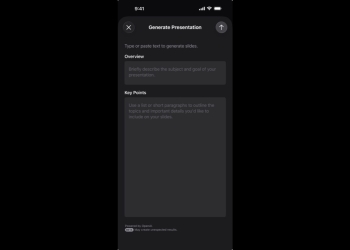
Keynote's Generate Presentation screen in Apple's App Store listing, shown on iPhone
Apps

Keynote, Pages and Numbers Get an AI Assistant, but Only If You Pay

October 23, 2026
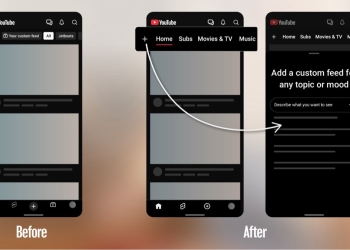
YouTube app before and after: Subscriptions moves from the bottom bar to the Home top bar as Subs
Apps

YouTube Moves Subscriptions Out of the Bottom Bar and Into Home

October 23, 2026
WhatsApp logo, one of eight messaging apps covered by India's SIM binding rule
Apps

India’s SIM Binding Rule Locks WhatsApp to Your SIM From January 2027

October 23, 2026
Two lavender Samsung Galaxy Z Fold8 phones, one folded and one unfolded, on a white shelf
News

Galaxy Z Fold8 and Fold8 Ultra Sales Up 45% in Europe, Samsung Says

October 23, 2026

Follow Us

  • 914 Followers
No Result
View All Result

Popular

  • One UI 9 on a Samsung Galaxy phone, the Android 17-based update adding a home screen search bar

    One UI 9 Puts a Google Search Bar on the Galaxy Home Screen by Default

    Share
    Share Tweet
  • A Copycat WhatsApp Listing on Google Play Has Passed 500K Downloads

    Share
    Share Tweet
  • Apple Pencil Works on iPhone Duo in iOS 27.2 Release Candidate

    Share
    Share Tweet
  • YouTube Says It Isn’t Hiding the Dislike Button From Viewers

    Share
    Share Tweet
  • iOS 27.2 Release Candidate Is Out, but the New Health App Isn’t

    Share
    Share Tweet
  • Samsung Q3 2026 Guidance: Record 107.4 Trillion Won Profit

    Share
    Share Tweet
  • YouTube Starts Rolling Out GIF Comments, but Not for Everyone Yet

    Share
    Share Tweet

Recent Posts

  • Canada’s Time Zone Change Could Leave Android Phones Showing Wrong Time
  • Google Meet Speech Translation Expands to 63 Languages on Paid Plans
  • Meta Switches Muse Sharing Back On, and Old Links Must Be Re-Shared
  • Keynote, Pages and Numbers Get an AI Assistant, but Only If You Pay
  • YouTube Moves Subscriptions Out of the Bottom Bar and Into Home
  • India’s SIM Binding Rule Locks WhatsApp to Your SIM From January 2027
  • Galaxy Z Fold8 and Fold8 Ultra Sales Up 45% in Europe, Samsung Says
AndroidPure

Navigate Site

  • Privacy
  • About Us
  • Tip Us
  • Contact Us

Follow Us

No Result
View All Result
  • Leaks
  • News
  • Reviews
  • Updates
  • How to

This website uses cookies. By continuing to use this website you are giving consent to cookies being used. Visit our Privacy and Cookie Policy.