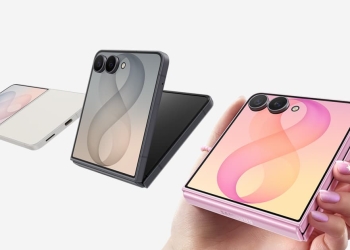
On iPhone Duo’s outer display, Safari 27.1 doesn’t let web pages extend into the space behind its control column on the right. Safari fills that strip with the page’s background color instead. Apple’s WebKit team explained the approach in its Safari 27.1 feature post. It says it is investigating a better fix, but it hasn’t given a date.

Why Safari on iPhone Duo’s outer screen looks this way
The right-hand column holds the camera cutout and clock. It also carries Safari’s back, Reader, plus and tabs buttons. Apple considered letting pages draw underneath it with viewport-fit cover. It decided against that because many sites don’t inset all four edges correctly. Jen Simmons, writing for the WebKit team, said Apple is still looking at alternatives:
We are investigating if there’s a better way to accomplish the same result — something more foolproof and perhaps easier for you to use.
9to5Mac had flagged the cramped outer-screen layout in its own review. On a phone built around two screens, everyday browsing on the outer one matters. Until Apple ships something better, pages there give up some width to Safari’s controls. Our iPhone Duo review roundup covers what other critics found.
Two-page PDFs in book posture
There is a useful addition you can try today. Hold iPhone Duo partly folded, like a book, while viewing a PDF on the web. Safari now shows two pages side by side. Open the phone flat or close it, and the view switches back to a single page.
For web developers
The Device Posture API and Viewport Segments API are available as a preview behind feature flags, under Settings > Apps > Safari > Advanced > Feature Flags. Viewports range from 382 to 951 CSS pixels wide and 368 to 902 tall. Xcode 27.1 includes an iPhone Duo simulator for testing. On the app side, Apple’s Made for iPhone Duo badge will flag apps built for the big screen.
For the wider software picture, see our coverage of iOS 27.1 for iPhone Duo.