Google Wallet can now hold a digital home key for Aliro-compatible smart locks set up in the Google Home app. Tap an NFC Android phone on the lock to open it. If both the phone and the lock support ultra-wideband (UWB), the door can unlock hands-free as you walk up.

Home keys arrived on November 11 as a Public Preview feature in the Google Home app. Google says they will reach everyone over the coming weeks, with no firm date. Google’s post doesn’t list which countries get the feature.
Jesse, a Senior Product Manager for Google Home & Nest, introduced it in Google’s community post:
Unlocking your front door should be just as effortless as tapping your phone to pay or even hands-free as you walk up.
The key runs on Aliro, the Connectivity Standards Alliance’s standard for digital access. Google says it helped develop the standard.
What you need for Google Wallet home keys
- Lock: a Matter-certified smart lock that supports Aliro. At launch, that means the Aqara U400 (NFC and UWB), Schlage Sense Pro (NFC now, UWB later) and Nuki Keypad 2 NFC.
- Hub: a Matter-enabled Google hub with a Thread Border Router, such as the Nest Hub (2nd gen), Nest Hub Max, Nest Wifi Pro or Google TV Streamer.
- Phone for tap to unlock: an NFC Android phone on Android 9 or later, with the latest Google Home and Google Wallet apps.
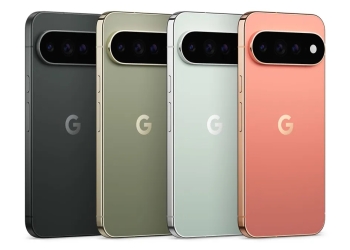
- Phone for hands-free unlock: an Aliro UWB-compatible phone. Google names the Pixel 10 Pro series and newer, including Fold and XL models.
9to5Google reports that some UWB-equipped Samsung Galaxy phones also support hands-free unlocking, though Google’s post doesn’t name Samsung. Wear OS watches aren’t supported at launch.
The setup list is longer than the pitch suggests. Only three locks work today, and only the Aqara U400 can unlock hands-free right now. Without one of those Google hubs, you are buying a hub on top of a new lock.
How to add a home key
When you set up a new Matter lock with Aliro in Google Home, the app prompts you to add the key. For an existing setup, open the Google Home app and go to Home settings > Google Wallet key. You can also start from the lock’s device settings.
The key belongs to the home, not to a single lock. It opens every compatible Aliro lock in that home, and each extra home needs its own key. It also syncs across compatible Android phones signed into the same Google Wallet account.
Household members in your Google Home home can add their own key to their own Wallet. Guests don’t get Wallet keys. They get guest passcodes in the Google Home app instead.
The key deactivates if the lock is removed from the home or you leave the home in Google Home. To remove it yourself, open the home key in Wallet, tap the top-right menu and choose Remove.
The security default worth changing
By default, a tap can open your door without waking or unlocking your phone screen. That holds as long as the phone was unlocked within the last few hours. In practice, anyone holding your lost or snatched phone could open your front door during that window.

The fix takes seconds. Open the home key in Google Wallet and turn on Require device unlock. Your screen lock or biometrics will then be needed for every tap. Google has been weighing a similar check for payments, as a recent Google Wallet teardown showed.
Hands-free unlocking is off by default, which is the safer choice. To use it, open the home key in Wallet, tap the top-right menu and turn on Unlock on approach.
Sources: Google Home & Nest Community, Google Home release notes, 9to5Google