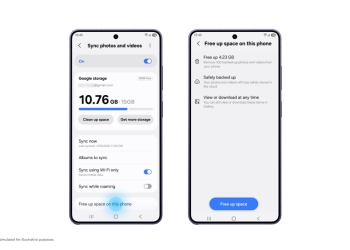
Google Photos is dropping the forced copy when you save advanced edits like Magic Eraser or Unblur on Android 11 and newer. The Google Photos Team announced the change in the app’s Help Community. Edits saved this way stay adjustable, so one picture no longer has to turn into a pile of near-identical files.

What changes when you save edits in Google Photos
The change covers Magic Eraser, Unblur, and edits made to photos in Ultra HDR or C2PA formats. Google’s post describes the old behaviour plainly:
“Until now, advanced edits like Magic Eraser, Unblur, or edits with UltraHDR and C2PA formats on Android often forced you to save an edited version as a copy.”
In practice, a cleaned-up shot sat in your library next to the untouched one. Going back for another pass could add yet another version. That clutters the grid and uses up storage for pictures you already have.
After the change, an edit like this is saved just once. If you reopen the editor later, you can change what you did before. Tools such as a filter or the brightness slider stay at the setting you last used.
Save vs. Save as copy
This does mean your edits land on the original photo. Google’s help page for editing on Android says the regular Save option writes your changes to the original. Those edits remain adjustable, and Google says you can revert to the original at any time.
Save as copy is still available. It creates a new photo with your edits and leaves the original as it was. The trade-off is that a copy can’t be undone or adjusted later. Pick it if you want a separate edited file to share or keep alongside the original.
Phones on Android 10 or older aren’t part of this change. On those versions, Google’s help page says simple edits can only be saved as a copy.
When you’ll get it
Google’s post doesn’t give a rollout timeline or an app version number. If Photos still pushes you toward a copy after a Magic Eraser edit, the change probably hasn’t reached your phone yet. If the editor has been giving you other trouble, Google says a fix for the Google Photos freeze after editing has already shipped.
Sources: Google Photos Help Community, Google Photos Help, Android Authority