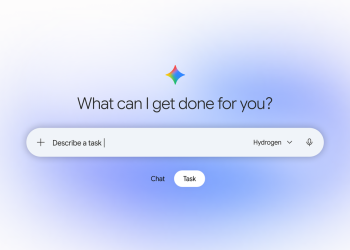


Google AI Mode in Search now has temporary threads. These are conversations that do not appear in your AI Mode history and do not shape future answers. According to 9to5Google and Android Authority, the option began rolling out globally on Nov 17. It covers mobile and desktop browsers in every language AI Mode supports.

How to open a temporary thread in AI Mode
- Open AI Mode in Google Search on your phone or computer browser.
- Tap the new pen button with a dotted border in the top-right corner. It uses the same icon as the Gemini app.
- Check that the greeting has changed to Welcome, stranger. That confirms you are in a temporary thread.
- Ask your questions as usual. When you close the thread, it is gone and cannot be reopened.
Because this is a gradual rollout, the button may not appear for everyone yet.
What a temporary thread keeps out of your account
Based on both reports, a temporary thread changes three things:
- History: the conversation does not show up in your AI Mode history.
- Recommendations: it does not influence what AI Mode suggests to you later.
- Personalisation: answers are not tailored using your past preferences.
The Google screenshot in 9to5Google’s report adds a fourth point. Its footnote states that temporary threads are not used to train Google’s generative AI models.
9to5Google points out that this is an alternative to opening google.com in an Incognito window. The difference is that you keep the AI Mode model picker.
Why this option matters now
Google has spent this year pushing Personal Intelligence into AI Mode. That feature can draw on your Gmail and Photos data to shape answers. AI Mode also now runs on Gemini 4 Hydrogen for all users. A one-tap way to ask something without it feeding your profile is a welcome control.
It helps to be precise about what this is. Temporary threads keep a conversation out of your history and personalisation. Neither report says what, if anything, Google keeps from these threads. So treat a temporary thread as unsaved in your account, not as hidden from Google.
If you want similar controls elsewhere, see how to keep Gemini chat history without feeding AI training. Our guide to limiting Personal Intelligence in Android Auto covers the in-car side.
Source: 9to5Google, Android Authority