

Google Wallet is now available as an iPhone app in the US, Google announced on Nov 17. The catch is significant: it cannot make contactless payments in stores. iPhone owners still need Apple Pay at the checkout counter. What the app does instead is store loyalty cards and passes, manage cards for online checkout, and track purchases it finds in your Gmail.

Google states the limitation plainly in its announcement:
“Please note that tap-to-pay functionality isn’t supported on iOS at this time.”
The launch is US-only. Google’s post does not mention other markets.
What Google Wallet on iPhone can do
According to Google, the app syncs with Gmail and other Google apps. It pulls in package tracking, boarding passes, concert tickets and receipts without you adding them by hand. You can also add cards yourself.
- Loyalty and gift cards: scan or add store, gym and gift cards.
- Payment cards: save cards to your Google Account for checkout in Chrome.
- Orders and deliveries: track purchases and packages pulled from Gmail.
- Travel and events: boarding passes and tickets synced from your Google apps.
- Everything else: a camera scanner that digitises other cards and documents.
If you want to use the scanner on paper receipts, our guide on scanning receipts into Google Wallet walks through the process.
How the iPhone app is laid out
9to5Google’s hands-on describes a floating pill with two tabs. The home tab shows recent purchases awaiting delivery and boarding passes, followed by a grid of loyalty cards. The second tab lists transactions tied to Google, your passes, and the payment methods saved to your Google Account. A plus button adds loyalty, gift and payment cards.
The real job: a hub for Gemini purchases
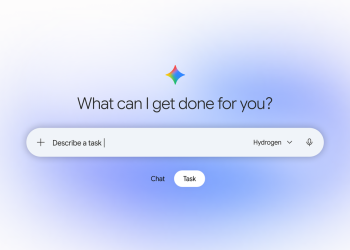
The iPhone app arrived on the same day Google made Gemini tasks free in the US. In its Gemini tasks post, Google says receipts and tracking for purchases Gemini makes on your behalf now land in Google Wallet, including on iOS. That makes the app less of a wallet and more of a record-keeper for shopping routed through Google’s account. Our earlier piece on connecting Google Wallet to Gemini covers the data caveats.
Should iPhone owners install it?
Be clear about the trade before you sign in. The automatic order and delivery lists work because the app reads purchase data from your Gmail. That is convenient, and it also gives Google a fuller picture of what you buy. Without tap-to-pay, the app does not replace Apple Pay for in-store payments.
It makes the most sense for people who already live in Gmail and Chrome and want their loyalty cards and order tracking in one place. If you mainly want to pay in shops, Apple Pay remains the tool for that on iPhone.
Source: Google, Google (Gemini tasks), 9to5Google