Gboard’s Writing tools on the Pixel 11 series now include a feature called Personalized suggestions, and turning it on grants the keyboard permission to read what is on your screen inside a messaging app and send that context to Google’s servers for processing. That is not a hostile reading of it — it is what Google’s own Gboard help page describes.

What Personalized suggestions actually reads
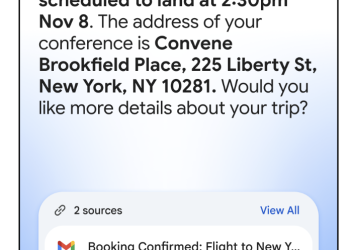
Google’s Gboard help page states that “with your permission, when "Personalized suggestions" is enabled, Gboard can use your typing history, as well as screen context taken at the time of use from supported first and third-party messaging apps, to provide relevant suggestions.” 9to5Google, which spotted the feature on retail Pixel 11 units, notes that the in-app text describes the screen context as being obtained “by taking a snapshot of your screen only at the time of use.”
The output of all that is a new “Suggested” tab inside Writing tools, which drafts a reply for you in what it judges to be your own voice. Google’s page says the Suggested tab “uses both the current screen context and your writing style,” while the older rewriting presets — Proofread, Rephrase, Professional, Friendly, Emojify, Elaborate, Shorten — draw on screen context alone when the setting is on. There is also a new “Describe your edit” button on the rewrite carousel that takes a typed instruction instead of a preset.
Processing does not stay on the phone. Google says this “requires an internet connection to process requests through secure cloud servers with Private AI Compute,” the same confidential-computing setup it has been attaching to Gemini features since earlier this year. Google’s framing, reproduced by 9to5Google, is that “your data is encrypted and processed in a private, dedicated space on your device and in the cloud. No one can see your data, not even Google.”
The toggle does what it says, which is the good news
This is the part worth being precise about, because a keyboard that reads your screen invites the assumption that the off switch is cosmetic. It is not, at least per the documentation. Google’s page states that when Personalized suggestions are off, “you can still use predefined styles or custom prompts. However, writing tools won’t personalize these drafts to your style or screen context.” The Suggested tab and smart replies simply disappear.
The consent flow arrives the first time you open Writing tools, as an “Improve writing suggestions with personal context” screen. Google says that “if you tap "No thanks", features like smart reply suggestions and the "Suggested" tab will be unavailable. You can always turn on "Personalized suggestions" later in settings.” The on/off control lives behind the menu icon in the Writing tools panel.
What Google does not put a number on anywhere on that page is retention — how long a screen snapshot or an inferred writing-style profile persists, whether it is tied to your Google account, or how you would delete it. “Processed in a private, dedicated space” describes where the computation happens, not what is kept afterwards. If you are weighing the trade, that unanswered question is the one that matters more than the encryption claim.
Who can get it
Availability is narrow. Google’s page is blunt: “Personalized suggestions are only available in Pixel 11 series devices.” It requires the Gemini Intelligence build of Writing tools, and it works in “supported messaging apps such as Google Messages (except in unfolded mode on foldable devices), Google Chat, LINE, and other chat apps” — so on a Pixel 11 Pro Fold the tab drops out of Google Messages as soon as you unfold the phone.
- Devices: Pixel 11 series only
- Apps: Google Messages, Google Chat, LINE and other chat apps; not Google Messages in unfolded mode on foldables
- Languages: English (Australia, Canada, India, UK, US), Chinese (Simplified and Traditional), French (France and Canada), German, Italian, Japanese, Korean, Portuguese (Portugal and Brazil), Spanish (US, Mexico, Spain)
- Regions: all supported countries and regions excluding the European Economic Area
That last line is worth sitting with. Google has not explained the EEA carve-out. A feature that reads on-screen message content and processes it in the cloud is the kind of thing EU data-protection law asks pointed questions about, and it is not shipping there. Readers in the EU and EEA will not see the Suggested tab at all; readers in India, the US, the UK and Canada will, in English, and will be asked to say yes to it the first time they tap Writing tools.
Source: 9to5Google