
Google’s 3D emoji won’t reach every Android phone. A new Google support page sets a minimum spec for the Noto 3D emoji font. Your phone needs Android 17, at least 6 GB of RAM and 128 GB of storage. Samsung Galaxy phones are left out entirely, whatever their specs.
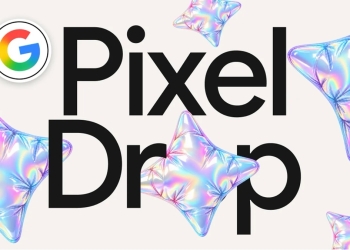
The 3D set first shipped on the Pixel 11 in August. 9to5Google says the support article went up this week. It spells out what a phone needs to get the new look.
Noto 3D emoji requirements: what your phone needs
According to Google’s support page, a phone has to meet all four of these conditions:
- Software: Android 17 or later
- Manufacturer: a supported maker that still delivers system or Google Play services updates
- RAM: at least 6 GB
- Storage: at least 128 GB in total, with 10 GB free
The support page does not list individual models. If your phone ticks every box above, it should qualify. If it misses even one, it won’t.
Who won’t get the 3D emoji
- Samsung Galaxy phones: excluded outright, even flagships with plenty of RAM and storage
- Phones with less than 6 GB of RAM: common among budget models
- Phones with less than 128 GB of storage: including 64 GB base variants
- Phones with less than 10 GB free: a qualifying phone that is nearly full won’t get it until you clear space
- Phones not yet on Android 17: anything still waiting for its update
- Phones no longer receiving system or Play services updates
Google gives a plain reason for the Samsung exclusion on the same page:
“Samsung devices use a proprietary emoji font and do not receive the 3D font update.”
Third-party messaging apps are also unaffected. WhatsApp uses its own emoji font, so you will keep seeing WhatsApp’s emoji inside WhatsApp. That holds even on a phone that has the 3D set.
The hardware floor is the part buyers should notice. This is a font, yet it is gated behind the kind of RAM and storage cutoff you would expect for a demanding app. That leaves out plenty of recent budget phones. Owners of 4 GB or 64 GB models are stuck with flat emoji even after Android 17 arrives.
How to check your RAM and storage
- Open Settings and search for RAM or Memory. The result shows your phone’s installed memory.
- If search doesn’t help, try Settings > System > Developer options > Memory.
- For storage, go to Settings > Storage. It shows both total and available space.
If your phone qualifies, there is nothing to switch on. 9to5Google’s summary of the support page says eligible phones download the font automatically on Wi-Fi while charging. There is no way to force the download.
Why the 3D emoji can look soft
Owners who do get the update may notice something odd at larger sizes. The 3D set is a bitmap font, not a vector one. Google’s FAQ says emoji that are scaled up can look softer as a result.

That matters most if you like big emoji. Gboard’s beta now has an emoji size slider, and the softness may be easier to spot at the larger settings.
Older Pixels and other phones
Google introduced the 3D set on its Keyword blog and shipped it first on the Pixel 11. It has since shown up on at least one older Pixel. 9to5Google points to a Reddit user who got it on a Pixel 6a. It adds that most others in that thread had not received it.
For non-Pixel phones, the Android 17 requirement is the first hurdle. Some makers are still rolling it out, as Motorola only just did with the Razr Fold’s Android 17 update. Until your phone has Android 17, the RAM and storage checks won’t matter.
Sources: Google Support, 9to5Google