Clicky

AndroidPure
  • Leaks
  • News
  • Reviews
  • Updates
  • How to
No Result
View All Result
  • Leaks
  • News
  • Reviews
  • Updates
  • How to
No Result
View All Result
AndroidPure
No Result
View All Result

Fix lost Signal with Screen Sleep on Ice Cream Sandwich 4.0.4 with SetCPU

Avinash Kumar by Avinash Kumar
July 8, 2016
in Phones

Are one of those users who after upgrading their device to Ice Cream Sandwich ICS 4.0.4, are stuck with lost signal whenever your device screen goes to sleep? Perhaps it looks like a bug resulting from some messed up code with ICS 4.0.4. It is listed as a known issue and many users are reporting this issue.

NO Signal ICS

With ICS 4.0.2, none of the users have reported any issue like this.  It’s happening with different versions of 4.0.4 from the stock version of the Google page or other custom ROMS based on it.

This issue is listed as bug as Issue 28133 now for Samsung Galaxy Nexus at Google Code.

When the phone enters standby, and nothing is using much CPU in the background, cellular signal is lost until phone is brought out of standby.

Solution / Fix to lost Signal with Screen Sleep

Lost Signal issue at the moment (Till someone from Google fixes it officially) can be fixed by raising the minimum CPU speed of your device from 350mhz to 700mhz.  Raising the minimum CPU speed of your device is not possible unless you root your device (Samsung Galaxy Nexus here).Even after rooting it, you will need a App called SetCPU to do this trick with the CPU. In short, the steps are as follows:

1. Root your Samsung Galaxy Nexus. ( If you are not sure how to Root it, Just Google it or check the Forums at XDA Developers.)

2. Install SetCPU from Google Play Store. (Keep in mind, for SetCPU to work your device must be rooted).

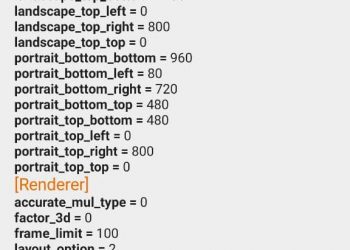
3. Run SetCPU, raise the minimum CPU speed from 350mhz to 700mhz. Then select “Set on Boot”.

SetCPU

This must fix the signal issue for you without downgrading to Ice Cream Sandwich 4.0.2.
Tags: Custom ROMGoogleNO SignalSamsung Galaxy NexusSetCPU
Previous Post

How to unbrick your LG optimus P500 using LG updater

Next Post

How to install AOSP Ice Cream Sandwich ICS on LG Optimus P500

Avinash Kumar

Avinash Kumar

Founder- Editor at Androidpure : A Mechanical Design Engineer by profession, but passionate about Computers, Smartphones, Gadgets, software and anything that helps to learn something new or different. Love to do things which i don't know and dive into unknown territories.

Please login to join discussion

Follow Us

  • 914 Followers

Popular

  • How to fix lags in Citra emulator on Android

    What is the Citra resolution hack? Learn how to improve FPS in 3DS games on your Android phone

    15 shares
    Share 14 Tweet 0
  • How to install YouTube Revanced on your Android phone

    1 shares
    Share 0 Tweet 0
  • How to set up NextDNS on Android

    1 shares
    Share 0 Tweet 0
  • How to install Elder Scrolls Morrowind on Android

    14 shares
    Share 13 Tweet 0
  • How to add a custom search engine in Firefox for Android

    1 shares
    Share 0 Tweet 0
  • Google Pixel 6 and Pixel 6 Pro with Tensor processor launched

    2 shares
    Share 1 Tweet 0
  • How to change the font size in Firefox for Android

    1 shares
    Share 0 Tweet 0

Latest

POCO X6 NEO

Poco X6 Neo 5G unveiled, a Rebranded Redmi Note 13R Pro, in India

March 13, 2024
Realme 12+ 5G

Realme 12+ 5G, Realme 12 5G launched in India: Pricing, Specs, and Availability – All You Need to Know

March 6, 2024
Nothing Phone 2a

Nothing Phone 2a launched in India: Pricing, Specs, and Availability – All You Need to Know

March 6, 2024
IQoo Neo 9 Pro.png

iQoo Neo 9 Pro Launches in India: Snapdragon 8 Gen 2, 12GB RAM, and More

February 22, 2024
Oneplus 12r 256gb variant is also ufs 3 1 and not ufs 4 0 v0 mbzg2z9bxnhc1

Unpacking the OnePlus UFS 4.0 Controversy: Just it is UFS 3.1

February 13, 2024
Redmi Buds

Redmi Buds 5 Launched in India: Features, Price, and Availability

February 13, 2024
Moto G04

Motorola Announces Moto G04 Launch in India: A Budget Smartphone with Premium Features

February 11, 2024
AndroidPure

© 2024 AndroidPure - NonStop Android.

Navigate Site

  • Privacy
  • About Us
  • Tip Us
  • Contact Us

Follow Us

No Result
View All Result
  • Leaks
  • News
  • Reviews
  • Updates
  • How to

© 2024 AndroidPure - NonStop Android.