AndroidPure
  • Leaks
  • News
  • Reviews
  • Updates
  • How to
No Result
View All Result
  • Leaks
  • News
  • Reviews
  • Updates
  • How to
  • Leaks
  • News
  • Reviews
  • Updates
  • How to
No Result
View All Result
AndroidPure
No Result
View All Result

WhatsApp Now Suggests Your Latest Photo in Chats: How to Turn It Off

Guides Desk by Guides Desk
November 4, 2026
in Apps, Guide

Has WhatsApp started showing your latest photo every time you open a chat? That’s a new feature called Recent media suggestions, now rolling out on Android and iPhone. It offers to send the newest photo or video in your gallery, whatever it happens to be. You can turn it off in Settings > Chats.

WhatsApp logo, green speech bubble with a white phone handset
Image: WhatsApp

What WhatsApp Recent media suggestions does

When you open a conversation, WhatsApp looks at the single most recent item in your phone’s gallery. It then offers that item as something to send. According to WABetaInfo, which spotted the rollout, the feature doesn’t filter by type or source. Camera photos count, and so do screenshots, images saved from the web and videos saved from other apps.

You’ll see the suggestion in one of two layouts, not both. Some users get a small banner above the chat bar with a thumbnail, a prompt to send it and a close button. Others see the camera icon in the chat bar swapped out for the thumbnail for a while.

Tapping either one doesn’t send anything by itself. Instead, it opens WhatsApp’s drawing editor. There you can review the image, add a caption or sticker, or back out. The idea builds on WhatsApp’s sticker suggestions, which pop up above the keyboard when you type an emoji.

Why you might want it off

The feature switches itself on once it reaches your account. That matters because the thumbnail appears on screen without you asking for it. Your most recent screenshot might be a bank balance, a boarding pass or a private conversation. That preview can show up in any chat you open, including when someone else is looking at your screen.

The editor step makes a mistaken send unlikely. Still, a preview of your newest file in every chat is a poor default for a messaging app. We think it should have been opt-in.

How to turn off Recent media suggestions

  1. Open WhatsApp.
  2. Go to Settings.
  3. Tap Chats.
  4. Switch off Recent media suggestions.

Once the toggle is off, WABetaInfo says the suggestions stop showing in your chats for good.

If you don’t see the option

The rollout is gradual. WhatsApp is enabling it for some users on the latest Android and iOS builds, with more accounts getting it over the coming weeks. It hasn’t said when everyone will have it.

If the toggle isn’t in Settings > Chats yet, the feature likely hasn’t reached your account. Since it’s arriving on the newest versions, update WhatsApp from the Play Store or App Store first. Then check the Chats screen again. If the option still isn’t there, look again after future updates. The feature turns itself on when it arrives, so it’s worth checking.

As of November 4, WhatsApp hasn’t announced the feature on its blog. Everything here comes from WABetaInfo’s reports from users who already have it. The exact menu wording could change as the rollout widens.

WhatsApp has been adding a lot to chats lately, including scheduled messages in beta. If privacy is your main concern, its Restricted Chat feature is worth a look as well.

Source: WABetaInfo

This post was written with AI assistance from public sources and published under the editorial responsibility of AndroidPure’s editor. How we work.


Related Posts

YouTube logo, red play button on a white background
Apps

YouTube May Be Building a Social App Called Tamba, Code Shows

November 4, 2026
Samsung logo for the Galaxy F56 One UI 9 update in India
Guide

Galaxy F56 Gets One UI 9 in India: Android 17, 2.2GB, October Patch

November 4, 2026
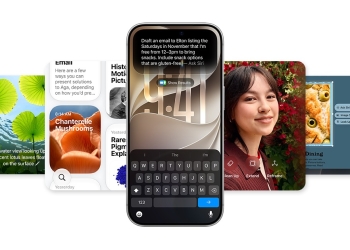
iPhone showing a typed Siri request surrounded by Apple Intelligence feature cards
Apps

iOS 27.3 Beta Opens Siri AI to Every App, but Users Wait Months

November 4, 2026
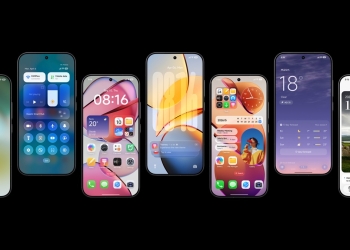
Seven phones showing HyperOS 4 lock screen widgets, control centre, home screen and weather app
Guide

Xiaomi’s HyperOS 4 Global Rollout: All 82 Eligible Phones and Tablets

November 4, 2026
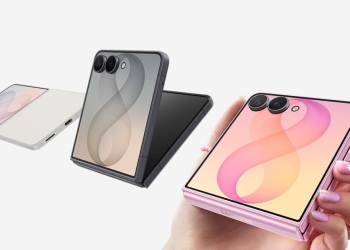
Three Samsung Galaxy Z Flip8 phones in white, grey and pink with their cover screens lit
Guide

Hide Now Brief on Your Galaxy Z Flip Cover Screen After One UI 9

November 4, 2026
Google wordmark in colour on a white background
Apps

Schools Can Switch Off Google’s AI for Students, but Lose Search Too

November 4, 2026

Follow Us

  • 914 Followers
No Result
View All Result

Popular

  • Google Play logo, the store where hidden nudify apps were found

    Hundreds of AI Apps on Google Play and App Store Hid Nudify Tools

    Share
    Share Tweet
  • One UI 9 Puts a Google Search Bar on the Galaxy Home Screen by Default

    Share
    Share Tweet
  • A Copycat WhatsApp Listing on Google Play Has Passed 500K Downloads

    Share
    Share Tweet
  • Nothing OS 5.0 Stable Reaches Phone (3a), 3a Pro, 4a and 4a Pro

    Share
    Share Tweet
  • Free Fire India Launches on Android and iOS Four Years After the Ban

    Share
    Share Tweet
  • Jio Voice-Only Plans Start at ₹147, but 28-Day Pack Saves Just ₹12

    Share
    Share Tweet
  • Galaxy Fit 4 Support Pages Go Live in India and UK Ahead of Launch

    Share
    Share Tweet

Recent Posts

  • Galaxy S27 Pro May Skip the Ultra’s Snapdragon, Trade Records Suggest
  • YouTube May Be Building a Social App Called Tamba, Code Shows
  • WhatsApp Now Suggests Your Latest Photo in Chats: How to Turn It Off
  • Galaxy F56 Gets One UI 9 in India: Android 17, 2.2GB, October Patch
  • T-Mobile Holiday Deals: iPhone 18 Pro On Us via Up to 36 Bill Credits
  • Galaxy A38 Reportedly Gets a 6,000mAh Battery, First Jump in Years
  • Peak Design’s Qi2 Chargers: $99.95 Kickstand Battery and Dual Stand
AndroidPure

Navigate Site

  • Privacy
  • About Us
  • Tip Us
  • Contact Us

Follow Us

No Result
View All Result
  • Leaks
  • News
  • Reviews
  • Updates
  • How to

This website uses cookies. By continuing to use this website you are giving consent to cookies being used. Visit our Privacy and Cookie Policy.