AndroidPure
  • Leaks
  • News
  • Reviews
  • Updates
  • How to
No Result
View All Result
  • Leaks
  • News
  • Reviews
  • Updates
  • How to
  • Leaks
  • News
  • Reviews
  • Updates
  • How to
No Result
View All Result
AndroidPure
No Result
View All Result

Google’s November Update Lists Android Photo Backup to Windows PCs

Androidpure Staff by Androidpure Staff
November 3, 2026
in Apps, News

Google’s November 2026 release notes for Play services v26.43 list automatic photo and video backup from Android phones to Windows PCs through Quick Share. This is the PC backup feature that first surfaced in an APK teardown in July. Now it appears in Google’s own changelog.

The entry is tagged for PC and phone. It reads: “Automatic backing up photos/videos from an Android to Windows using Quick Share feature.”

Android phone sending photos with Quick Share to a Windows laptop showing an accept request prompt
Image: Google

What we know about Android photo backup to Windows

Google’s one-line note doesn’t explain how the feature works. The details so far come from Android Authority’s teardown of Play services 26.26.33, which we covered in July.

That teardown described free daily backups over your local Wi-Fi to a Windows PC running the Quick Share app. The PC had to be signed in to the same Google Account. No cloud storage or subscription was involved. Google hasn’t confirmed any of those details, and its release note doesn’t describe them.

The July teardown also suggested Samsung Galaxy phones would be left out. Google’s note doesn’t name any supported devices or exclusions, so that question is still open.

If Google ships it the way the teardown described, this is a genuinely useful free option. You’d keep a local copy of your photos on your own PC without paying for cloud storage.

Don’t expect it on your phone today

A changelog listing doesn’t mean a feature has reached everyone. As 9to5Google points out, items in these notes aren’t necessarily widely available yet. Some take months to arrive.

To see which Google System version you have, 9to5Google suggests this path: Settings > Google services > All services > Privacy & security > System services. On a Pixel, tap your name at the top of Settings instead of Google services.

Also in Google’s November system update

  • Android Family Hub: a dedicated space in Android Settings for family management tools.
  • Google Password Manager: when imported passwords and passkeys conflict, you can now choose which credentials to keep.
  • Google Wallet: updates to loyalty cards, plus bug fixes.
  • Developers and connectivity: new Location and Context features for developers, plus more quality logs for Auto, phone and TV connections.
  • Play Store v53.9: a reminder if Play Protect stays turned off for a while, on phones and PCs.
  • Play Store game pages: at-a-glance highlights such as gameplay style, review summaries and community activity.

Last month’s notes had a bigger headline, as Play services v26.42 let phones connect to Android XR glasses.

Sources: Google System release notes, Android, 9to5Google
Related Posts

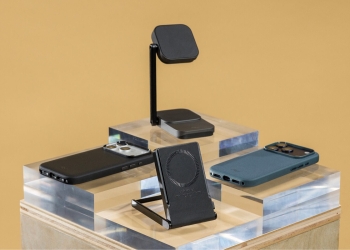
Peak Design Qi2 Wireless Charging Station and Kickstand Travel Battery in black, with two phones in Peak Design cases
News

Peak Design’s Qi2 Chargers: $99.95 Kickstand Battery and Dual Stand

November 4, 2026
Man wearing a Porcelain Google Pixel Buds Pro 2 earbud in a bright airport hall
Deals

Pixel Buds Pro 2 Drop to $169 at Amazon and Google Store, $60 Off

November 4, 2026
Two hands holding an open Apple iPhone Duo showing the iOS home screen
Deals

T-Mobile Offers $1,200 Off iPhone Duo With No Trade-In, for Switchers

November 4, 2026
iPhone showing a typed Siri request surrounded by Apple Intelligence feature cards
Apps

iOS 27.3 Beta Opens Siri AI to Every App, but Users Wait Months

November 4, 2026
Google wordmark in colour on a white background
Apps

Schools Can Switch Off Google’s AI for Students, but Lose Search Too

November 4, 2026
Microsoft four-square logo and wordmark on white
Apps

Microsoft Authenticator for Android Switches Backups to Google One

November 4, 2026

Follow Us

  • 914 Followers
No Result
View All Result

Popular

  • Google Play logo, the store where hidden nudify apps were found

    Hundreds of AI Apps on Google Play and App Store Hid Nudify Tools

    Share
    Share Tweet
  • One UI 9 Puts a Google Search Bar on the Galaxy Home Screen by Default

    Share
    Share Tweet
  • A Copycat WhatsApp Listing on Google Play Has Passed 500K Downloads

    Share
    Share Tweet
  • Nothing OS 5.0 Stable Reaches Phone (3a), 3a Pro, 4a and 4a Pro

    Share
    Share Tweet
  • Free Fire India Launches on Android and iOS Four Years After the Ban

    Share
    Share Tweet
  • Jio Voice-Only Plans Start at ₹147, but 28-Day Pack Saves Just ₹12

    Share
    Share Tweet
  • Galaxy Fit 4 Support Pages Go Live in India and UK Ahead of Launch

    Share
    Share Tweet

Recent Posts

  • Galaxy A38 Reportedly Gets a 6,000mAh Battery, First Jump in Years
  • Peak Design’s Qi2 Chargers: $99.95 Kickstand Battery and Dual Stand
  • Pixel Buds Pro 2 Drop to $169 at Amazon and Google Store, $60 Off
  • T-Mobile Offers $1,200 Off iPhone Duo With No Trade-In, for Switchers
  • iOS 27.3 Beta Opens Siri AI to Every App, but Users Wait Months
  • Xiaomi’s HyperOS 4 Global Rollout: All 82 Eligible Phones and Tablets
  • Hide Now Brief on Your Galaxy Z Flip Cover Screen After One UI 9
AndroidPure

Navigate Site

  • Privacy
  • About Us
  • Tip Us
  • Contact Us

Follow Us

No Result
View All Result
  • Leaks
  • News
  • Reviews
  • Updates
  • How to

This website uses cookies. By continuing to use this website you are giving consent to cookies being used. Visit our Privacy and Cookie Policy.