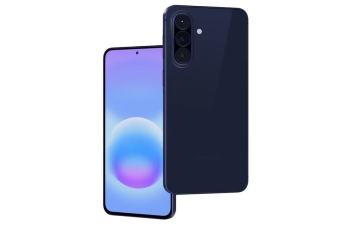
The stable One UI 9 update for the Galaxy A55, based on Android 17, is now rolling out beyond South Korea. Owners in the Netherlands, Belgium and India report receiving it, according to Galaxy Club and SamMobile. The update also brings the October 2026 security patch.

These are user reports picked up by two outlets in two different markets. Samsung’s firmware changelog for the A55 hadn’t been updated as of Monday afternoon IST. It still listed a September Android 16 build as the latest release.
The A55 was part of the One UI 9 beta program, and in India, beta testers are the first to get the stable build.
Where the Galaxy A55 One UI 9 update is rolling out
- South Korea: first to get the stable build, last week, per SamMobile.
- Europe: firmware A556BXXUIEZJ1, a download of about 2.5GB. Galaxy Club says it has been available since early Monday, October 26, in the Netherlands, Belgium and the rest of Europe. Readers tipped the outlet off.
- India: firmware A556EXXUIEZJ1. Several users report it as a download of just over 300MB on phones enrolled in the beta.
So far, SamMobile says only beta-enrolled phones in India are getting it. The outlet expects other A55 units to get the update later the same day as a larger download. That timing isn’t confirmed yet.
The two builds carry different regional codes, B for Europe and E for India. That fits a rollout reaching separate markets independently.
What’s new for Galaxy A55 owners
Galaxy Club lists a few changes on the European build:
- Warranty and service: a new menu for warranty and service information.
- Secure lock: a new lock feature.
- Quick panel: more ways to customize it.
- Location insight: more detail on how apps use your location.
The location change is the most useful one for privacy. A blue icon or dot appears at the top right of the screen when an app requests your location. It’s a quick way to catch an app checking where you are when you didn’t expect it to.
For the full list of devices in line for the update, see our guide to Galaxy phones and tablets expected to get One UI 9.
How to check for the update
- Open Settings and tap Software update.
- Tap Download and install or Check for updates.
- Install the update if it appears, with at least 30% battery charge.
Battery life may dip for a few hours or days afterward while the phone re-optimizes, Galaxy Club notes. That’s general advice for major updates, not something specific to this build.
Sources: Galaxy Club, SamMobile, Samsung firmware changelog