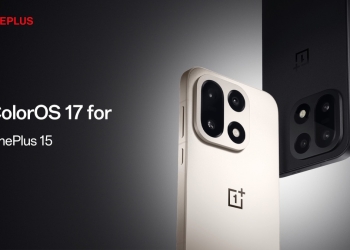


OnePlus says stable ColorOS 17 is now rolling out to the OnePlus Open in India and Europe, in batches. Our November rollout schedule had listed the Open for November 24. The company’s own community post now confirms the build.
The build is CPH2551_17.0.0.100(EX01) for both regions. OnePlus describes it as part of the global rollout of ColorOS 17. Its community post puts the current status this way:
This update is already rolling out in the IN/EU region in batches, and we will keep you posted on the progress in the thread.

Gizmochina reports the India rollout began on November 17, ahead of the November 24 date OnePlus had listed. The European rollout was reported on November 27.
Rolling back wipes the phone, so back up first
OnePlus offers separate OxygenOS 16 packages for India and Europe if you want to go back. Rolling back erases the phone, OnePlus warns, so back up everything before you try it.
OnePlus Open ColorOS 17 rollout by region
| Region | Build | Status in OnePlus’s post |
|---|---|---|
| India | CPH2551_17.0.0.100(EX01) | Listed, rolling out in batches |
| Europe | CPH2551_17.0.0.100(EX01) | Listed, rolling out in batches |
| North America | None listed | Not listed |
The Open was sold in the US, but OnePlus’s post names only India and Europe as of November 27. It lists no North American build or date. The thread does carry a generic North America rollback guide, which is not a sign of a release there.
How to check for the update
- Open Settings.
- Tap System & Updates.
- Tap Software update and install ColorOS 17 if it is offered.
Because the rollout comes in batches, it may take a while to reach your phone.
What’s new in ColorOS 17 for the OnePlus Open
- Design: a new fluid look, with a redesigned Quick Settings panel and notification drawer.
- Performance: OnePlus says an upgraded Laminar Flow Engine reduces lag under heavy memory load and prevents unnecessary background app closures.
- New tools: a Translate app and OSee document scanning.
- Call safety: AI Face Swap Detection in video calls, plus improved AI Scam Call Detection for AI-generated voices.
- Audio: several apps can play sound at once, with a toggle in Settings.
- Connections and alerts: O+ Connect supports third-party cameras, and Live Alerts shows Uber and Ola ride status.
The performance gains are OnePlus’s claims, and we have not tested them.
How to roll back to OxygenOS 16
Only try this after a full backup, since the phone will be wiped.
- Download the OxygenOS 16 package for your region from the OnePlus Community thread.
- Copy the package to the phone’s storage.
- Go to Settings > About device > Version, tap Build number seven times and enter your password.
- Go to Settings > About device > Up to date, tap the top-right button, then Local install.
- Pick the package, tap Extract, then tap Upgrade.
- Restart the phone.
For other models, see our coverage of ColorOS 17 on the OnePlus 12 in India and the OnePlus 15’s November patch.
Source: OnePlus Community, Gizmochina, My Mobile India