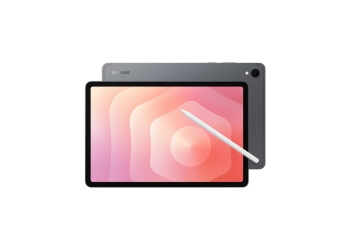

Samsung’s One UI 9 update for the Galaxy Tab A11+, based on Android 17, is spreading beyond South Korea. SamMobile reported the Korean rollout on November 18 and now lists India among the first markets to follow. Samsung’s own release notes pages now list the update for US models too, with dates from November 23 to 25. A listed note doesn’t mean every tablet has it yet, so US owners should check for it themselves.

Galaxy Tab A11+ One UI 9 builds by model and region
Every page below lists Android 17, One UI 9 and the November 5, 2026 security patch. The previous build on each page was Android 16, so this is a full version upgrade. The dates are the ones shown on Samsung’s notes pages, not confirmed delivery dates.
| Model | Region or carrier | Build | Notes page date | Samsung notes |
|---|---|---|---|---|
| SM-X230 (Wi-Fi) | US | X230XXU7CZK7 | November 23 | US notes |
| SM-X238U (5G) | US, AT&T | X238USQU8CZK7 | November 24 | AT&T notes |
| SM-X238U (5G) | US, T-Mobile | X238USQU8CZK7 | November 25 | T-Mobile notes |
| SM-X230 (Wi-Fi) | India | X230XXU7CZK7 | November 25 | India notes |
| SM-X236B (5G) | India | X236BXXU7CZK7 | November 25 | India notes |
The US Wi-Fi page sits under Samsung’s XAR region code, which matches the US model codes on Samsung’s US store page. The AT&T and T-Mobile pages cover the 5G model sold through those carriers. In India, SamMobile says the Wi-Fi model’s download is 2,428.89MB and carries the November 2026 patch.
What’s new in One UI 9 on the Tab A11+
Samsung’s US notes list the changes below for the Galaxy Tab A11+. Samsung also says exact features can differ by model, country and carrier.
- Quick panel: rearrange the controls, resize the brightness and volume sliders and the media player, and use a separate sound mode button.
- Multitasking: touch and hold an app’s top handle, then drag down for a pop-up window or to a screen edge for split screen.
- Warranty and care: a new Settings menu that includes diagnostics.
- Quick lock: press and hold Volume down and the Side button, or tap the Power button in the quick panel. Biometrics are then blocked for the next unlock.
- Location indicator: a blue indicator appears when an app uses your location, and tapping it in the quick panel shows which app.
- Samsung Health: a redesign with resizable cards, quick logging, trend charts, a heart-health score, cardio load, Fitness Index and cycle tracking.
- Accessibility: Text spotlight, physical keyboard shortcuts, Select to speak, TalkBack updates through the Play Store, and Mouse keys options.
Two of these changes are about privacy. Quick lock means the next unlock needs your PIN, pattern or password instead of biometrics. The location indicator makes it easier to see when an app checks where you are.
How to check for the One UI 9 update
Back up your tablet before installing a full Android version upgrade. Menu names vary a little by model and carrier, according to Samsung’s US support page.
- Open Settings.
- Tap Software update. On some carrier models this is called System updates.
- Tap Download and install. Depending on the carrier, it may read Check for system updates or Check for software updates.
- If the download doesn’t start, tap Download now and follow the prompts.
To confirm the version afterwards, go to Settings, then About tablet, then Software information. Compare the build number with the table above. If nothing shows up yet, check again over the next few days, since rollouts reach devices in stages.
For the other Galaxy devices in line for this release, see our list of Galaxy phones and tablets expected to get One UI 9. Samsung has also pushed stable One UI 9 to the Galaxy A34.
Sources: Samsung update notes, Samsung US support, SamMobile, SamMobile (Korea rollout)
Some links in this post are affiliate links. If you buy through them we may earn a commission at no extra cost to you. As an Amazon Associate we earn from qualifying purchases.