
AndroidPure
  • Leaks
  • News
  • Reviews
  • Updates
  • How to
No Result
View All Result
  • Leaks
  • News
  • Reviews
  • Updates
  • How to
  • Leaks
  • News
  • Reviews
  • Updates
  • How to
No Result
View All Result
AndroidPure
No Result
View All Result

Oura Drops Android 11 Support on December 8: What to Do

Androidpure Staff by Androidpure Staff
November 27, 2026
in Apps, Guide

Oura will end Android 11 support in its app on December 8, 2026. Ring owners whose phones still run Android 11 should move to Android 12 or higher, according to Oura’s support page.

Hand wearing an Oura ring holding a phone that shows the Oura app readiness screen
Image: Oura

Oura presents that update as the way to avoid losing data or features. The real catch for anyone who waits is what happens to their history.

What Oura says happens if you stay on Android 11

Oura’s Software Updates for Android page spells out the trade-off for phones that stay behind:

If you decide not to upgrade, you may still be able to use some limited historical Oura App features. Please note that if you do upgrade your smartphone system later, your historical Oura data will not carry over.

In plain terms, you may keep limited access to some past data on Android 11. If you update the phone’s system after the cutoff, Oura says that history will not carry over. The page does not say data is deleted on December 8.

For a product built around long-term health trends, losing that history is a real cost. It is the one part of this change worth acting on before the date.

The same support page still carries an older line saying the app works on Android 11 and higher. That is the pre-cutoff line, not a reversal. The page also lists Google Play services, iOS 16 or later and Bluetooth 5.0 as requirements.

How to prepare for the Oura Android 11 cutoff

  1. Check your Android version. Open Settings > About phone > Android version. Menu names vary by phone maker. On Samsung phones, go to Settings > About phone > Software information.
  2. Look for a system update. If your phone offers Android 12 or higher, install it before December 8.
  3. Request your Oura data export. Log in to the Oura Membership Hub with your Oura account. Select Export data, then Request your data.
  4. Download the export when it is ready. Oura emails you a reminder once the file is ready. Go back to the Membership Hub and tap the export to download it.
  5. Check your Oura app version. Tap the menu at the top left of the app’s home screen, then Settings > Software information. The newest Android version Oura lists is 7.33.0, dated November 24, 2026.

Oura says the export is available to all users, with or without an active membership. It can take up to 10 days to arrive. Late November to December 8 is roughly that long, so request it now.

There is no guarantee the file lands before the cutoff. Treat it as your own copy of your records, too. Oura does not say an export can be loaded back into the app to restore your history.

For another wearable support change we covered, see the end of Fitbit Aria pairing.

Source: Oura Support (Software Updates for Android), Oura Support (Export & Share Your Oura Data), via Android Authority
Related Posts

OnePlus ColorOS 17 for OnePlus 15 banner showing the white and black OnePlus 15 rear designs
Guide

OnePlus 15 ColorOS 17 Update Adds Call Announcements

November 27, 2026
Green WhatsApp logo on a white background, used for the CERT-In WhatsApp vulnerability note
Apps

CERT-In Rates Five WhatsApp Flaws High: Update Your App

November 27, 2026
White Redmi Note 12 Pro+ 5G showing its 200MP triple rear camera and front display
Guide

Redmi Note 12 Pro: Xiaomi Lists October 2026 Patch End

November 27, 2026
Google Play triangle logo on a white background
Apps

Google Play to Show Trader Developers’ Phone and Address

November 27, 2026
WhatsApp logo and wordmark on a cream background
Apps

WhatsApp Confirms In-App Travel eSIMs With Jio and Verizon

November 27, 2026
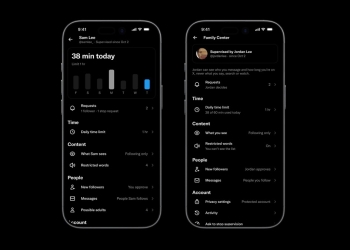
X Parental Controls shown on two phones, a parent view with time and content settings and a teen Family Center view
Apps

X Adds Teen Parental Controls, but Parents Can’t Read DMs

November 26, 2026

Follow Us

  • 914 Followers
No Result
View All Result

Popular

  • Nest app icon next to the Google Assistant logo for Google's Nest app retirement announcement

    Google Retires the Nest App on Jan. 25, 2027: Save Your Clips First

    Share
    Share Tweet
  • GrapheneOS Says Google Is Asking OEMs Whether They Work With It

    Share
    Share Tweet
  • How to add a custom search engine in Firefox for Android

    Share
    Share Tweet
  • One UI 9 Watch: Which Galaxy Watches Get Wear OS 7 Now

    Share
    Share Tweet
  • Galaxy S27 Leak: Samsung Tests a Dynamic Island-Style Now Bar

    Share
    Share Tweet
  • GrapheneOS Shows a Test RCS App That Encrypts Chats With iPhone Users

    Share
    Share Tweet
  • Android Auto’s Missing Signal Icon: Google Says a Fix Is Rolling Out

    Share
    Share Tweet

Recent Posts

  • Galaxy Z Fold8 Is $400 Off at Best Buy: Now $1,499.99
  • Apple Watch SE 3 Drops to $179 at Walmart for Black Friday
  • Oura Drops Android 11 Support on December 8: What to Do
  • OnePlus 15 ColorOS 17 Update Adds Call Announcements
  • CERT-In Rates Five WhatsApp Flaws High: Update Your App
  • Android Fraud Kit Lists Fake Screens for 182 Banks
  • Redmi Note 12 Pro: Xiaomi Lists October 2026 Patch End
AndroidPure

Navigate Site

  • Privacy
  • About Us
  • Tip Us
  • Contact Us

Follow Us

No Result
View All Result
  • Leaks
  • News
  • Reviews
  • Updates
  • How to

This website uses cookies. By continuing to use this website you are giving consent to cookies being used. Visit our Privacy and Cookie Policy.